Powerful drum processing that goes beyond Ableton’s Drum Buss
If you’re looking for a way to make your drums hit harder in Ableton Live, Drum Buss XL is our expanded take on Ableton’s classic Drum Buss – designed to give you fast, powerful control over your drums without getting lost in the details.
We’ve taken everything we love about Drum Buss and pushed it further, adding new features and workflow improvements that make it just as useful for production as it is for mixing.
We built this to solve a simple problem: getting drums to hit hard, sound controlled, and stay musical — without needing a massive processing chain.
Start with the Boom
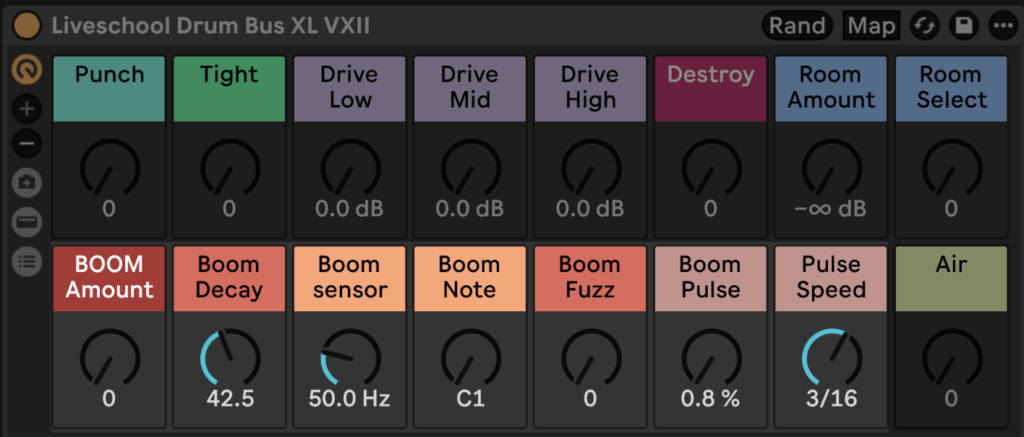
At the core of Drum Buss XL is a subharmonic resonator that transforms your low-end into a tuned, musical foundation.
Think of it like generating an 808-style layer directly from your drums.
- Dial in the frequency range
- Tune the note to your track
- Adjust decay for length
From there, you can shape it further with:
- Boom Fuzz → adds harmonic distortion
- Boom Pulse → introduces rhythmic modulation
—
Punch, Tight & Air
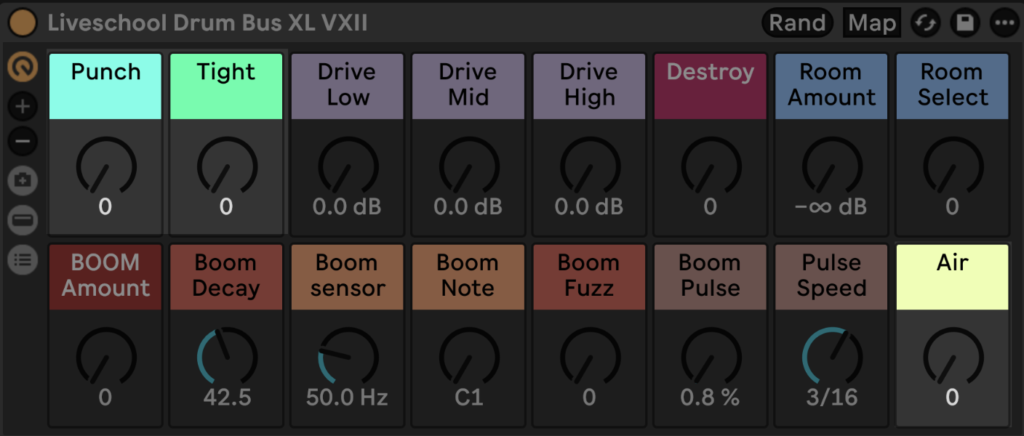
Instead of stacking multiple devices, Drum Buss XL gives you three core macros for shaping your drums quickly:
- Punch → adds impact using transient shaping, compression, and clipping
- Tight → controls sustain and tightens the groove
- Air → brings back top-end clarity and detail
These three controls cover most tonal shaping needs in seconds.
—
3-Band Drive (With Built-In Clipper)
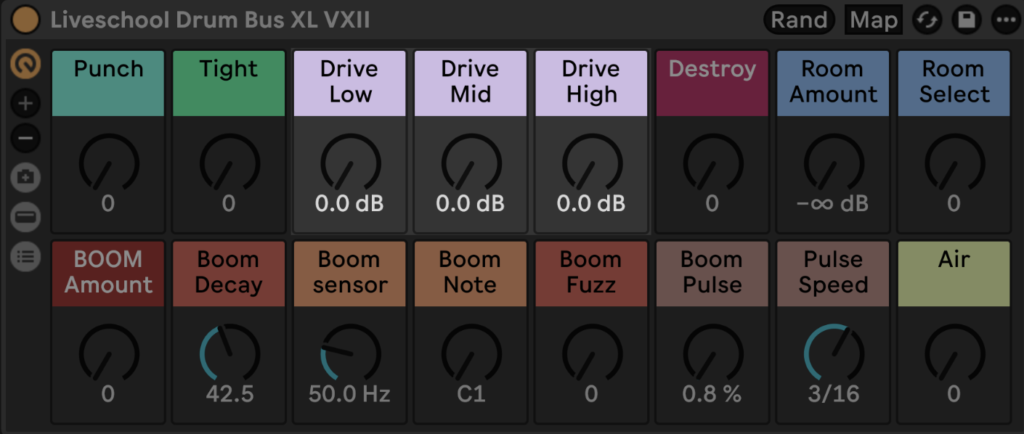
The drive section introduces multi-band saturation, letting you push different parts of the spectrum independently.
Everything is phase neutral before processing, and a clipper at the end of the chain keeps things under control — so you can drive it hard without things falling apart.
—
Destroy (For When Clean Isn’t the Goal)
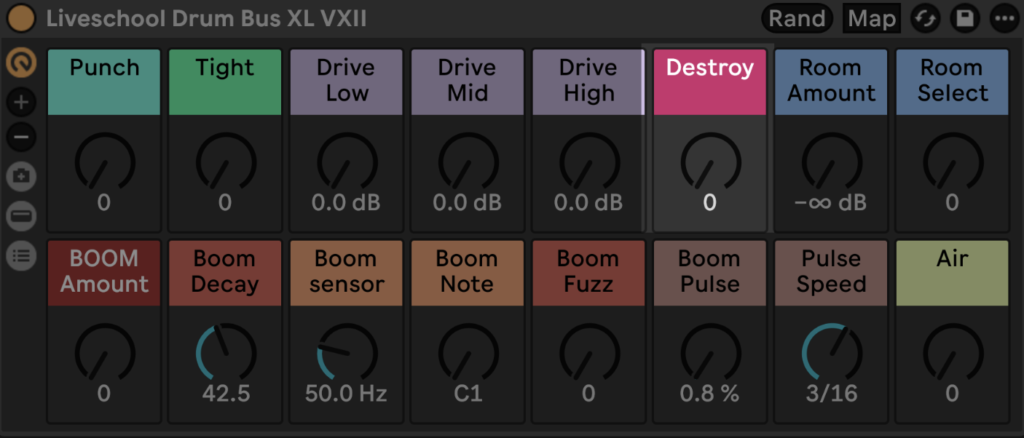
The Destroy control is designed as a creative effect rather than a standard distortion.
It’s perfect for:
- Automating into fills
- Adding contrast at the end of phrases
- Sound design moments
Use sparingly… or don’t.
—
Drum Rooms
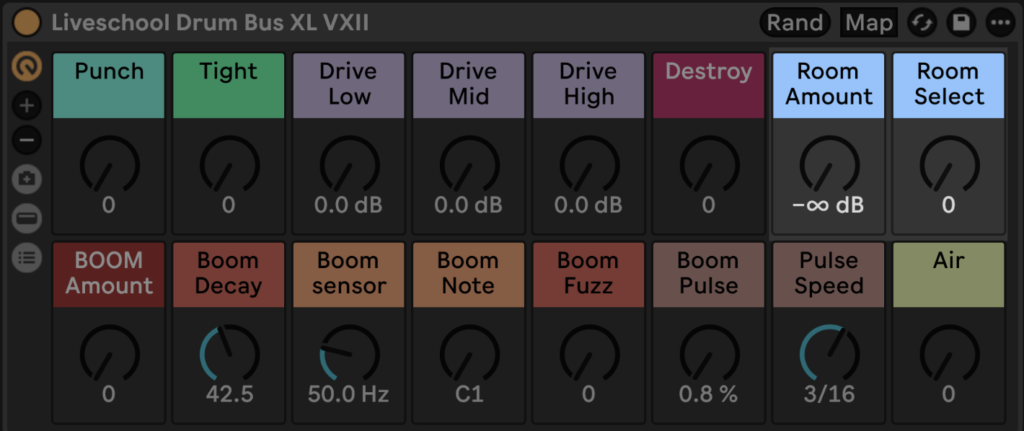
Drum Buss XL includes a selection of drum room environments that can be blended in using a global send.
These range from tight, controlled spaces to more experimental textures — giving your drums depth without needing a separate reverb chain.
—
Randomise (Creative Mode)
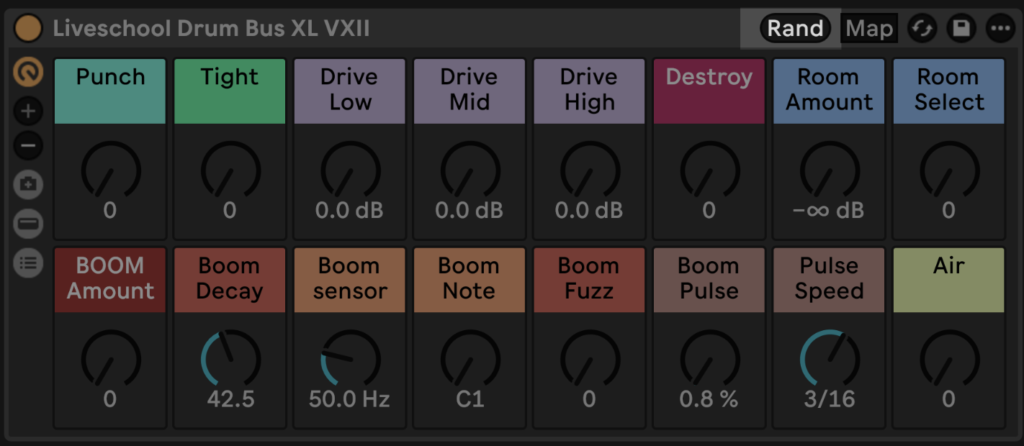
Once your boom is dialed in, the randomise feature reshapes the rest of the rack to generate new ideas.
- Boom stays locked
- Destroy is excluded (for sanity)
- Everything else gets remixed
A simple workflow:
Randomise → find something interesting → dial it back
—
Workflow
Drum Buss XL is designed to be fast and repeatable:
- Initialise the rack
- Dial in the boom
- Shape with Punch, Tight, and Air
- Add drive and character
- Experiment with randomise
- Refine
—
Requires Ableton Live Suite 12.3 or higher.
Check out more downloads at shop.liveschool.net
To follow next pack releases join our newsletter
Frequently Asked Questions
If you’re trying to get more punch, weight and control from your drums in Ableton Live, the questions below break down the core concepts behind Ableton’s Drum Buss and our Drum Buss XL.
How do I make my drums hit harder in Ableton Live?
To make drums hit harder in Ableton Live, you typically combine:
- Transient shaping (to increase attack)
- Saturation or clipping (to add density and perceived loudness)
- Low-end reinforcement (such as subharmonic generation or EQ)
- Compression (to control dynamics and glue sounds together)
Drum Buss XL combines these processes into a single rack, allowing you to dial in punch, weight, and clarity quickly without building a complex chain.
What does Drum Buss do in Ableton Live?
Ableton’s Drum Buss is a multi-purpose drum processor that includes:
- Transient shaping (via the “Transient” control)
- Saturation and drive
- Compression
- A “Boom” section for enhancing low-end
It’s designed to give you fast, musical results with minimal setup.
Does Drum Buss XL use Ableton’s Drum Buss?
No. Drum Buss XL is not built using Ableton’s Drum Buss device.
Instead, it recreates and expands on the same ideas using a custom signal chain. This allows for:
- More flexible control over each stage
- Phase-neutral processing before drive is applied
- Additional features like multi-band drive, drum rooms, and controlled randomisation
The goal is the same — powerful drum processing — but with more depth and flexibility.
What is the “Boom” feature in Drum Buss XL?
The Boom section in Drum Buss XL is a subharmonic resonator in a phase-neutral chain.
It generates a tuned low-frequency tone from your existing drum signal – similar to an 808-style layer – allowing you to:
- Reinforce weak low-end
- Tune your drums to the key of your track
- Control the decay and character of the added sub
Unlike simple EQ boosting, this creates a new, musical low-frequency layer.
When should I use Drum Buss XL instead of a standard drum chain?
Use Drum Buss XL when you want:
- Faster workflow with fewer devices
- Consistent, repeatable drum processing
- A balance of control and simplicity
- Creative options (like randomisation and “Destroy”) alongside standard processing
For detailed surgical mixing, you may still use individual devices — but for most production and mixing tasks, a unified rack can dramatically speed things up.
Is Drum Buss XL suitable for all genres?
Yes. Drum Buss XL is designed to be flexible across genres, including:
- Electronic music (house, techno, drum & bass)
- Hip-hop and trap
- Pop and indie production
Because the core controls (Punch, Tight, Air, Boom) are broad and musical, it adapts easily to different styles.
Previous Artist Racks
Check out our previous racks below!
LAR006 – FM Explorations by Goose
LAR005 – Mastering Chain by SUB-Human
LAR004 – Synth Spicer by PARIS
LAR003 – Vocal Magic by Ninajirachi
LAR002 – Vintage Toner by Fletcher
LAR001 – Bass Distorter by Moss