Ableton Live 12.4 Is Here: Link Audio, Learn View & Workflow Upgrades
Ableton Live 12.4 has officially landed – and it’s one of the most exciting point updates we’ve seen in a while.
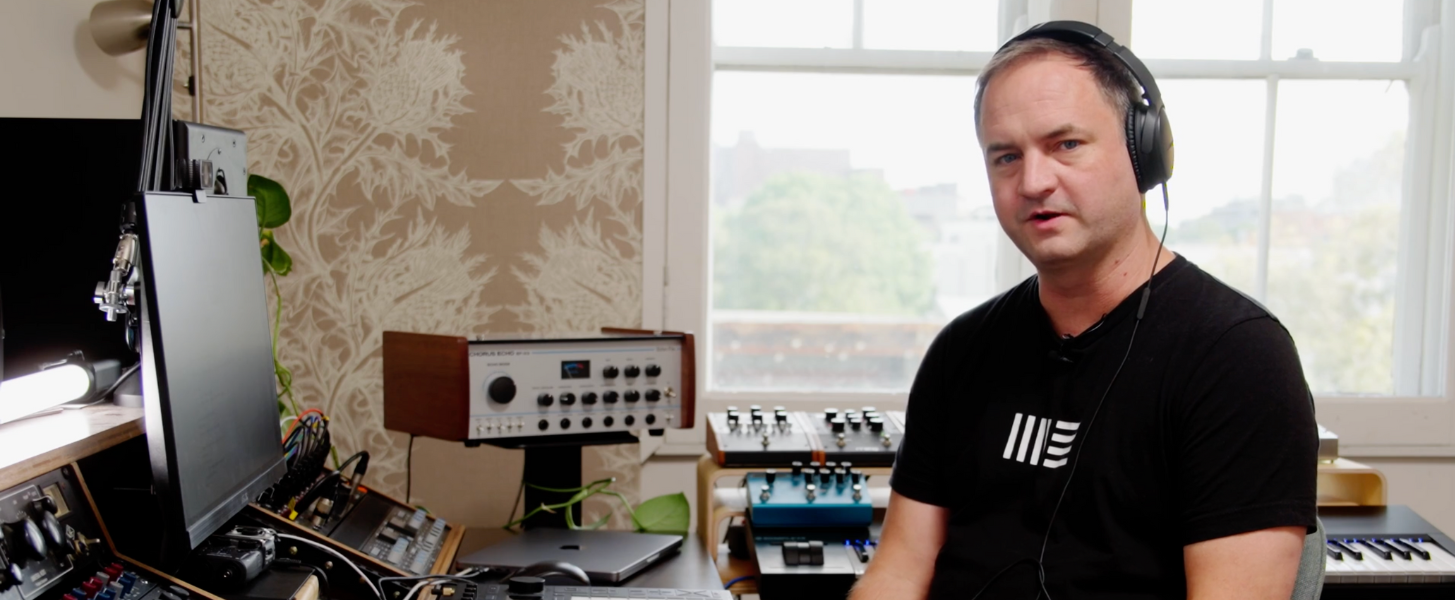
We recently had Jack “Bustlip” from Winston Surfshirt in at Liveschool to walk through the 12.4 beta before its public release. The update introduces meaningful workflow improvements, new learning tools inside Live, device enhancements, and a major new feature: Link Audio.
Here’s what you need to know.
New Drum Kits from Kučka
Ableton Live 12.4 includes new drum kits from Kučka – featuring punchy drums, vocal elements, and some characterful textures that are immediately usable in modern electronic production.
Kučka joins other members of the extended Liveschool family like Ninajirachi, who produced the Ableton Live 11 demo project.
These kits feel production-ready straight out of the box – tight, textured, and inspiring.
Learn View Replaces Help View
Help View is gone – and it’s been replaced with Learn View.
Learn View opens on the side of the interface and includes built-in video tutorials that can be resized and repositioned while you work. This makes it much easier to learn features in context without breaking your creative flow.
Ableton has also hinted at future support for third-party lessons inside Live – something we’re very excited about at Liveschool.

Image: Ableton Live 12.4 device update (Ableton)
Pack Overview Improvements
Pack View has evolved into Pack Overview, giving you a cleaner snapshot of the packs installed on your system.
It’s a small change, but it improves navigation and clarity – especially for producers working across multiple libraries.
Device Updates: Erosion, Chorus Ensemble & Delay
If you’re into sound design, 12.4 brings some welcome upgrades.
Erosion
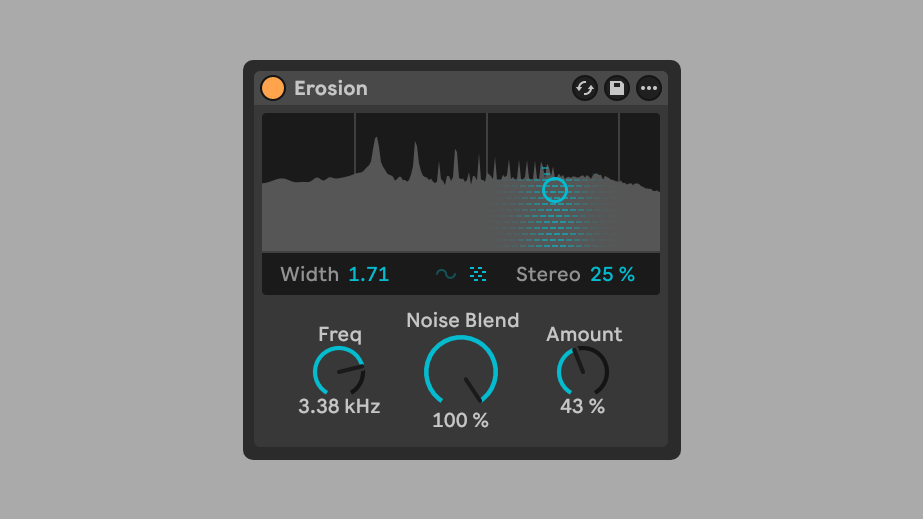
Erosion now includes:
- Noise blend (sine to white noise)
- Bandwidth control
- Stereo imaging improvements
- Expanded frequency control
These additions dramatically increase its creative potential, especially for adding texture and movement to percussion and synth layers.
Chorus Ensemble
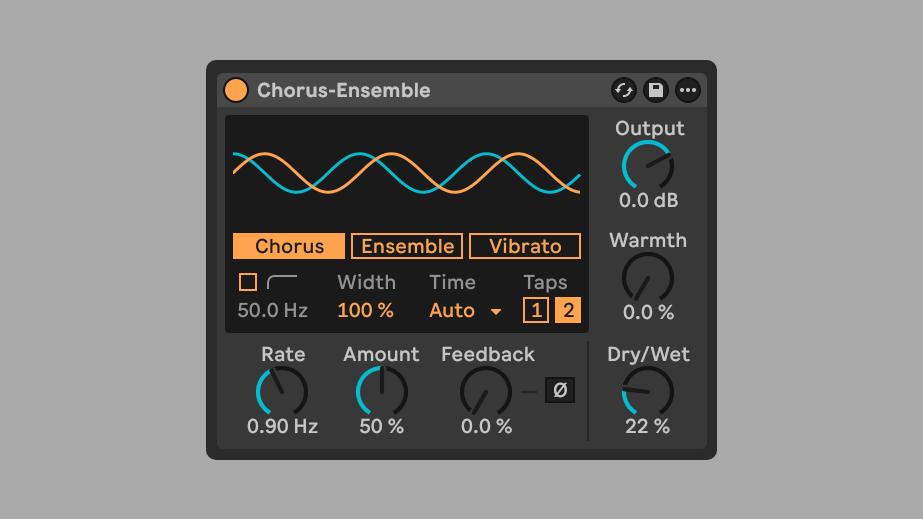
Overall, the updated Chorus-Ensemble device is suitable for a wider range of chorus duties than before, and achieves sounds more like a classic hardware chorus effect.
The Classic mode has been renamed to Chorus, and new time options have been added:
- One Tap – broad, smooth chorus movement
- Two Tap – more animated and experimental
- Time – Previously this was a fixed delay-time amount. Now, having explicit control over the delay Time means you can deliberately land in “sweet spots” for chorus versus flanger‑ish textures.
Delay
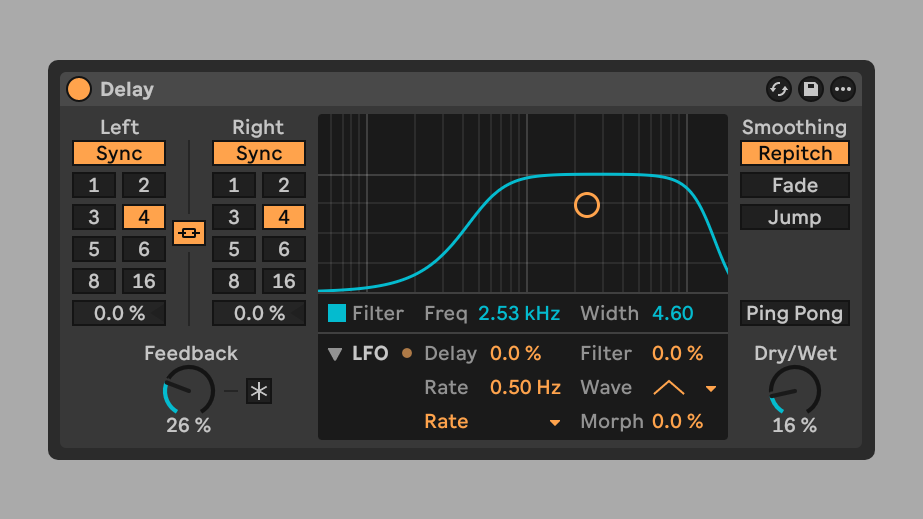
Delay now features a more flexible LFO section, including expanded waveform and timing control.
Overall, Delay in 12.4 behaves more like a compact delay+modulation unit, with LFO control for the Delay’s:
- Filter Cutoff Frequency
- and / or Delay Time.
Sound-wise, this opens up possibilities for chorus‑ish movement, tape‑style wobble, or synced filter sweeps on your repeats.
How you set the Smoothing matters:
- Repitching will respond with subtle or wild pitch changes and tape-stop effects when LFO is set to control the Delay Time.
- Fade and Jump will both eliminate the pitch changes, allowing you to focus the LFO purely on rhythmic changes.
- Jump will make those rhythmic changes sound more glitchy.
Smarter Stem Separation
Ableton’s stem separation just got more powerful.
You can now:
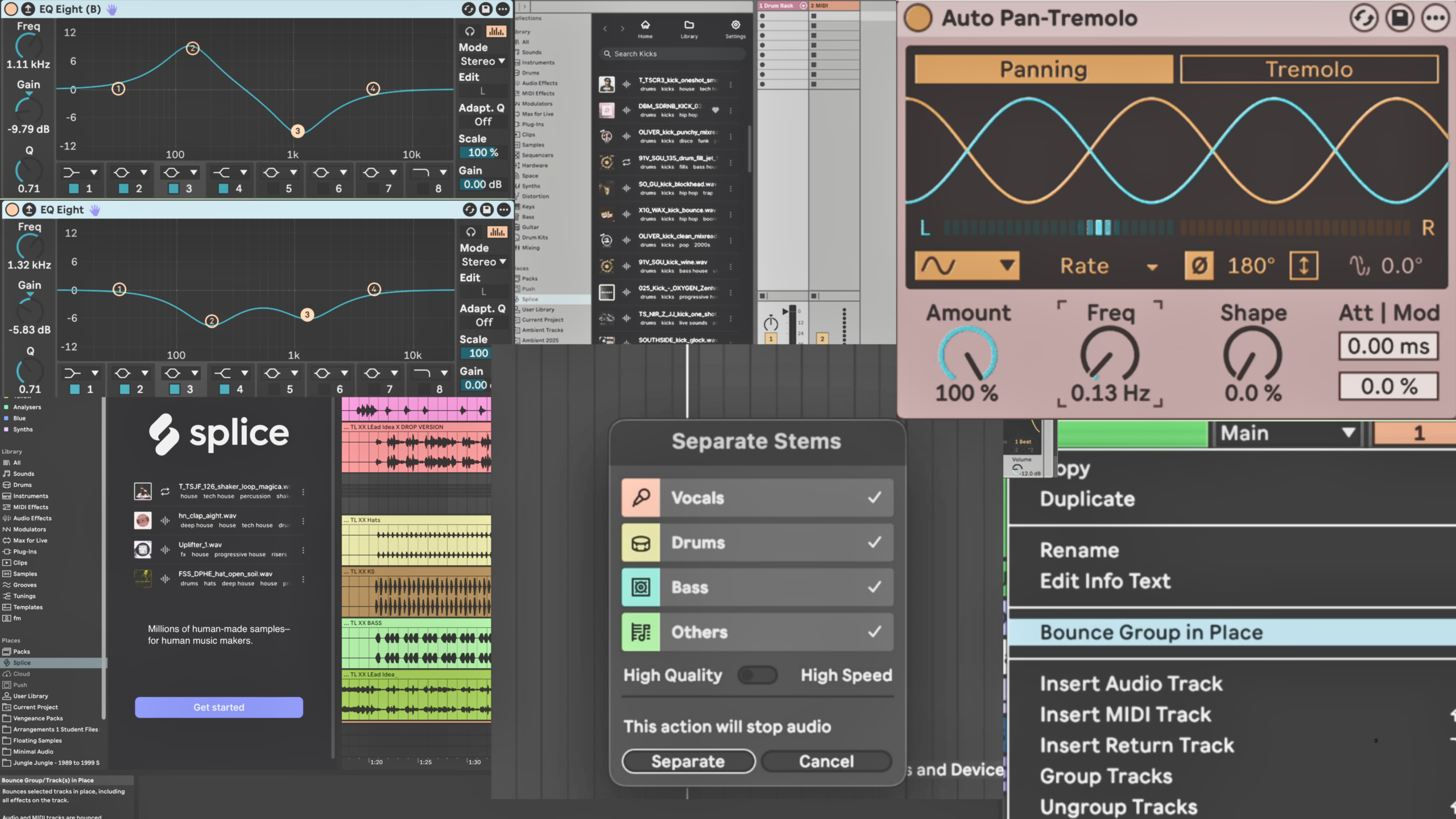
- Separate stems from part of a clip (not just the entire sample)
- Merge separated stems into a single track
- See per-stem progress during high-quality separation
This is incredibly useful for resampling, vocal removal, and fast idea generation.
The Big One: Link Audio
The standout feature in Live 12.4 is Link Audio.
Not just Ableton Link for tempo sync – but wireless multitrack audio streaming between computers, Push, Move and Note.
This means you can:
- Receive multiple tracks wirelessly from another Ableton session
- Jam and record collaboratively in real time
- Move ideas between rooms without exporting stems
For collaborative environments – especially studios and schools – this is a major workflow breakthrough. It works over WIFI which is great for casual collaboration or sharing wirelessly.
For best results, a wired Ethernet network is the recommended connection type, and you can use USB-to-Ethernet (or Thunderbolt-to-Ethernet / USB-C-to-Ethernet) adapters.
Latency is very workable in real-world sessions.
Copy & Paste Time (Finally)
Sometimes the simplest features are the most impactful.
Live 12.4 introduces copy and paste time selection. You can now copy entire time ranges – not just clips – and paste them elsewhere in your arrangement.
It’s one of those changes that feels like it should have always been there.
Watch the Full Walkthrough
We filmed a full walkthrough of the 12.4 beta with Jack from Winston Surfshirt at Liveschool.
▶️ Watch it here:
Final Thoughts
Ableton Live 12.4 isn’t about flashy reinvention – it’s about meaningful refinement.
Between Link Audio, improved learning tools, smarter stem separation, and device updates, this release is all about reducing friction and speeding up collaboration.
And that’s what modern music production is really about.
FAQ: Ableton Live 12.4
Is Ableton Live 12.4 free?
Yes. Ableton Live 12.4 is a free point update for all Live 12 users.
What is Link Audio in Ableton Live 12.4?
Link Audio in Ableton Live 12.4 allows multitrack audio streaming between computers running Ableton Live, as well as between Link-Audio-enabled devices such as Live, Push, Move and Note. It enables real-time collaboration without exporting stems or using audio interfaces to connect systems.
What connections are required for Link Audio in Ableton Live 12.4?
Link Audio works over a shared network connection. It can operate wirelessly via WIFI, but a wired Ethernet connection is recommended for the most stable and lowest-latency performance.
For wired setups, you’ll typically use:
- An Ethernet cable between devices (via a router or switch)
- USB-C or USB to Ethernet adapters if your device does not have a built-in Ethernet port
Connecting multiple devices is usually easier if you plug them into the same router or switch.
Does Ableton Live 12.4 improve stem separation?
If you’d like to learn Ableton Live in a collaborative, studio-based environment – or online from anywhere – explore our courses here:
Connect With Us
- Book a chat with our course advisors to discuss your production goals