Breakbeat Generator Template
A one-click template that generates new drum breaks. It contains 64 custom drum loops by Thomas McAlister and a unique method of remixing them to make fresh audio loops for your collection.
Download the pack here (free for a limited time):
Create infinite drum breaks…
This template is crazy easy to use, and crazy complex under the hood. Good thing is you don’t need to know how it works, just know how to harvest fresh drum breaks with it – in a few simple steps.
- For more tips on getting the best results, read below
- To learn how any of this is even possible, see how we invented Gate Remixing
Tips for getting the best results:
1. Set your Seed generator up like this:
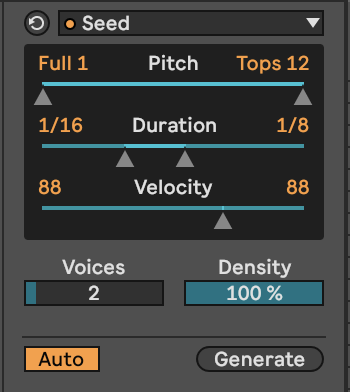
- Adjust voices and density depending on results
- Velocity at 88 sets the volume of each loop to -6dB. If any hits are too loud, lower that MIDI note’s velocity to lower the volume.
2. Increase the height of the MIDI editor.
When editing the generated MIDI, raising the height of the MIDI editor lets you see all 64 loops: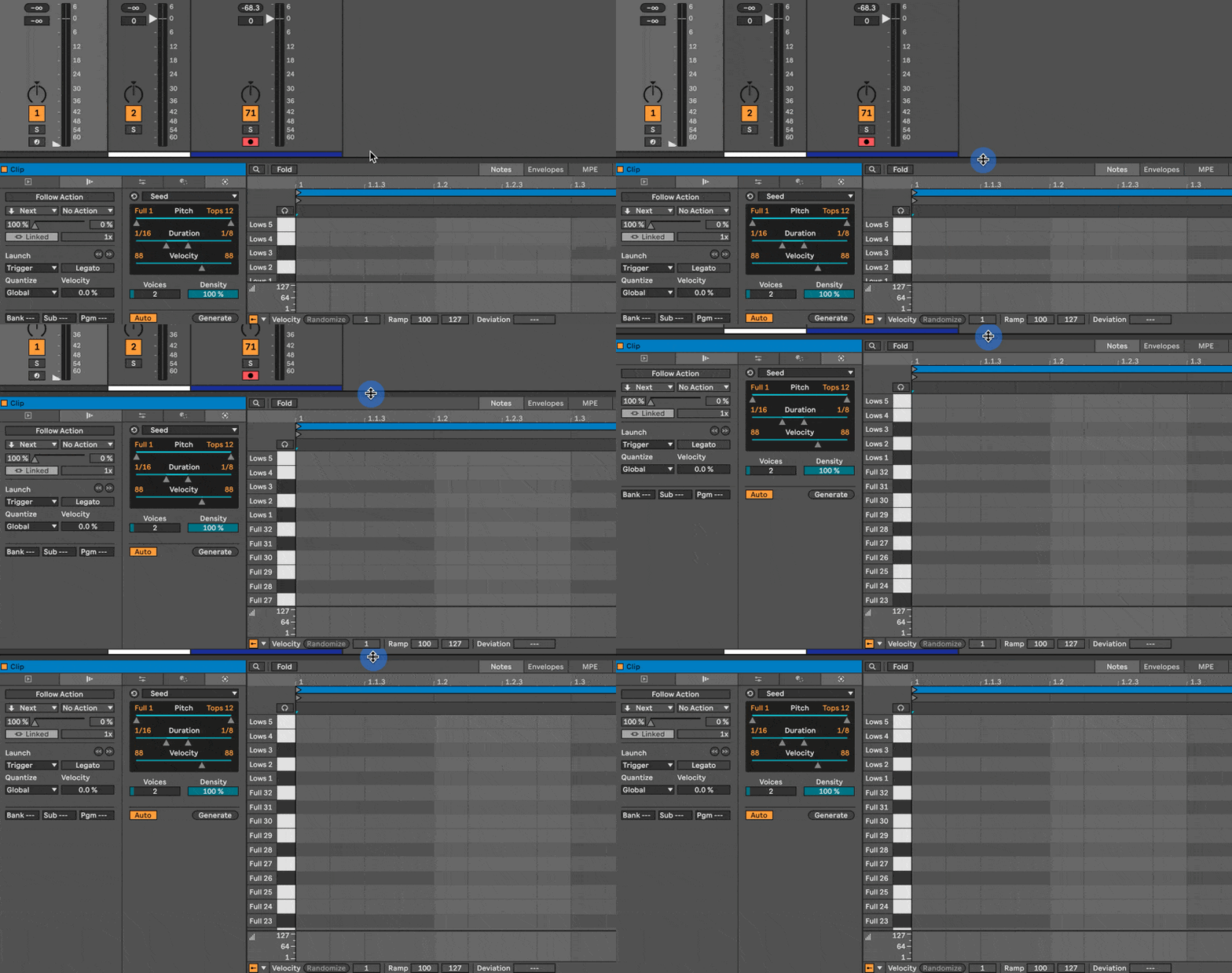
3. MIDI clip lengths make a difference
There’s two ways to work with MIDI clip lengths…
Option 1: Set the Clip Length before you generate:
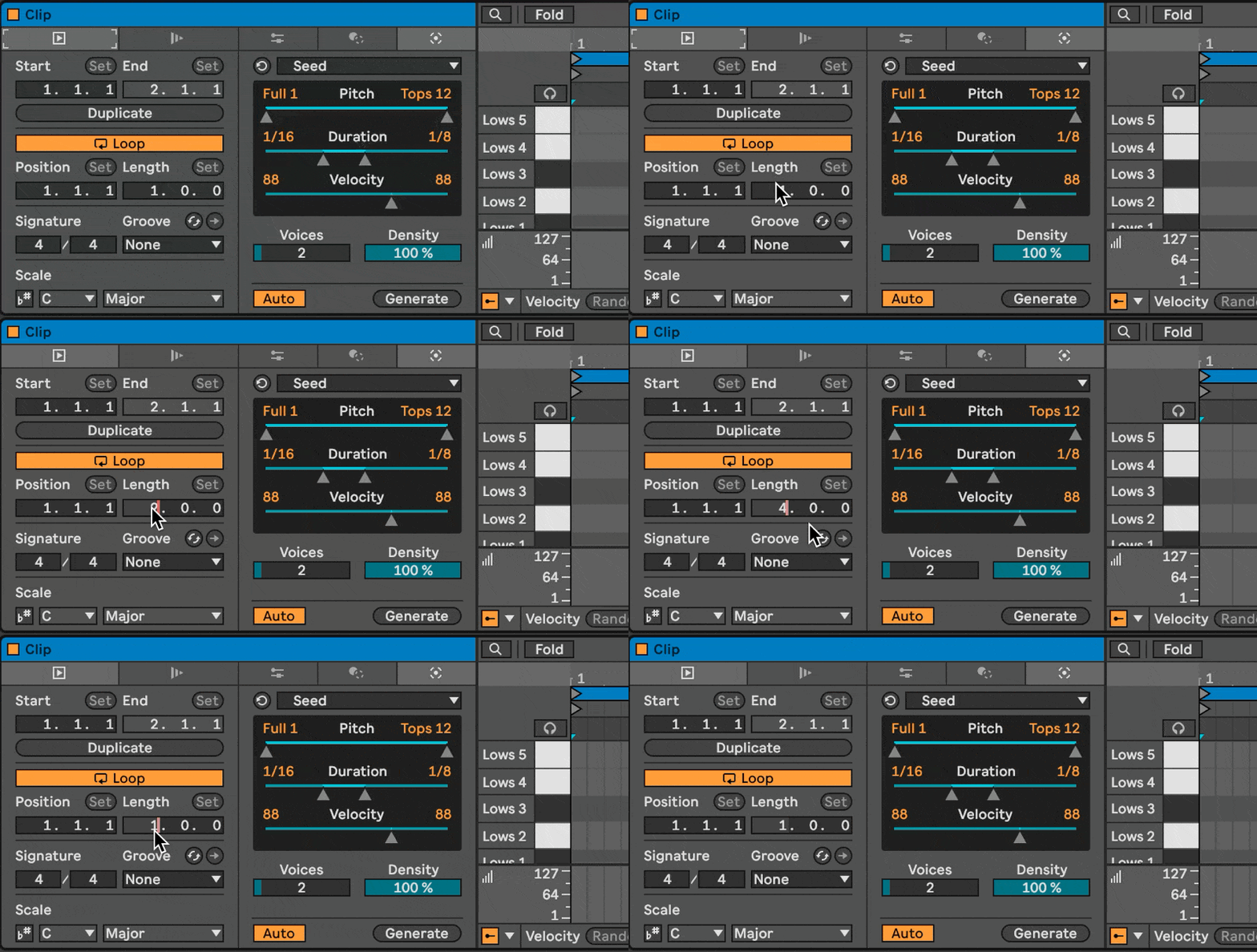
Shorter loops have more urgency / intensity, longer loops have more variation and space to breathe – but might also end up sounding more random.
Option 2: Generate using a 1 bar clip to start with, then expand it and add variations:
In the video above, the key points are:
- start with a 1 bar loop you’re happy with
- hit the Duplicate button to double it to two bars
- select an area of the MIDI grid you want to add things to and hit Generate. Some useful options here are to reduce the range, and play with the voices / density
- then hit the Duplicate button again to double the clip to 4 bars, and find another spot to Generate into
Download the pack here:
What makes the Breakbeat Generator Template work?
If you want to know the techy nerdy stuff about this template was created, the concept and setup is explained here.